Docs
Getting started
Install Agent Tank 0.10.0, check that your CLIs are ready, and open the dashboard on http://127.0.0.1:3456.
Prerequisites
- Node.js 18+. Usage history needs Node.js 22.5+ for the built-in
node:sqlite; on older runtimes Agent Tank still runs, logs one warning, disables history and reportsstore: "none". - Python 3.8+ and C/C++ build tools:
node-ptyis a native module that is compiled duringnpm install. See Build requirements by OS. - At least one supported CLI installed, signed in and on your
PATH:
| Provider | Command | Requirement | Check |
|---|---|---|---|
| Claude Code | claude |
Version 2.0+ required for /usage | claude --version |
| OpenAI Codex | codex |
No version requirement | codex --version |
| Antigravity CLI | agy |
/usage command support required | agy --version |
Install
Install the agent-tank package globally:
npm install -g agent-tankOr run it directly without installing:
npx agent-tankRun from source
To run the latest code from a checkout instead of the published package:
# 1. Clone the repo
git clone https://github.com/integry/agent-tank.git
cd agent-tank

# 2. Install dependencies (compiles node-pty natively)
npm install

# 3. Run it
npm start # = node bin/agent-tank.jsnpm start does not forward arguments cleanly, so call the entry point directly to pass flags:
node bin/agent-tank.js --claude --codex --port 8080
node bin/agent-tank.js --once --json          # one-shot, prints JSON, no server
node bin/agent-tank.js --no-docker            # localhost only
node bin/agent-tank.js --help # full option listFirst run
# Auto-discover installed agents and start the web UI + API
agent-tankAgent Tank auto-discovers the supported CLIs installed on your PATH and serves the dashboard and HTTP API at http://127.0.0.1:3456.
If Docker is available, it also binds the Docker bridge gateway addresses by default, so containers on the same host can reach it without exposing it on the public interface. Use --no-docker for localhost only:
agent-tank --no-dockerCheck it works
Open http://127.0.0.1:3456 in your browser. Each agent gets a card with its usage windows, reset times and a usage-history sparkline:
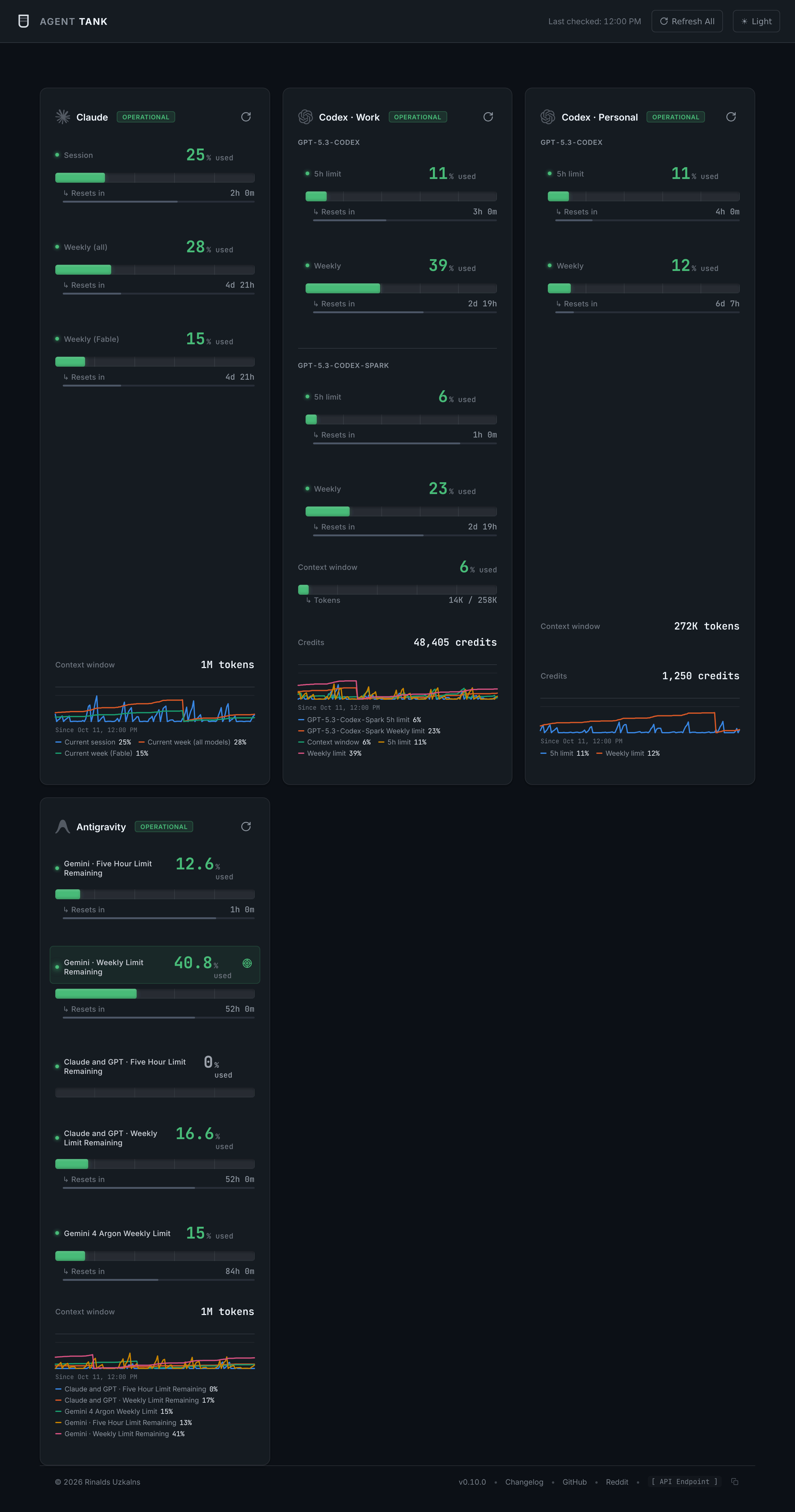
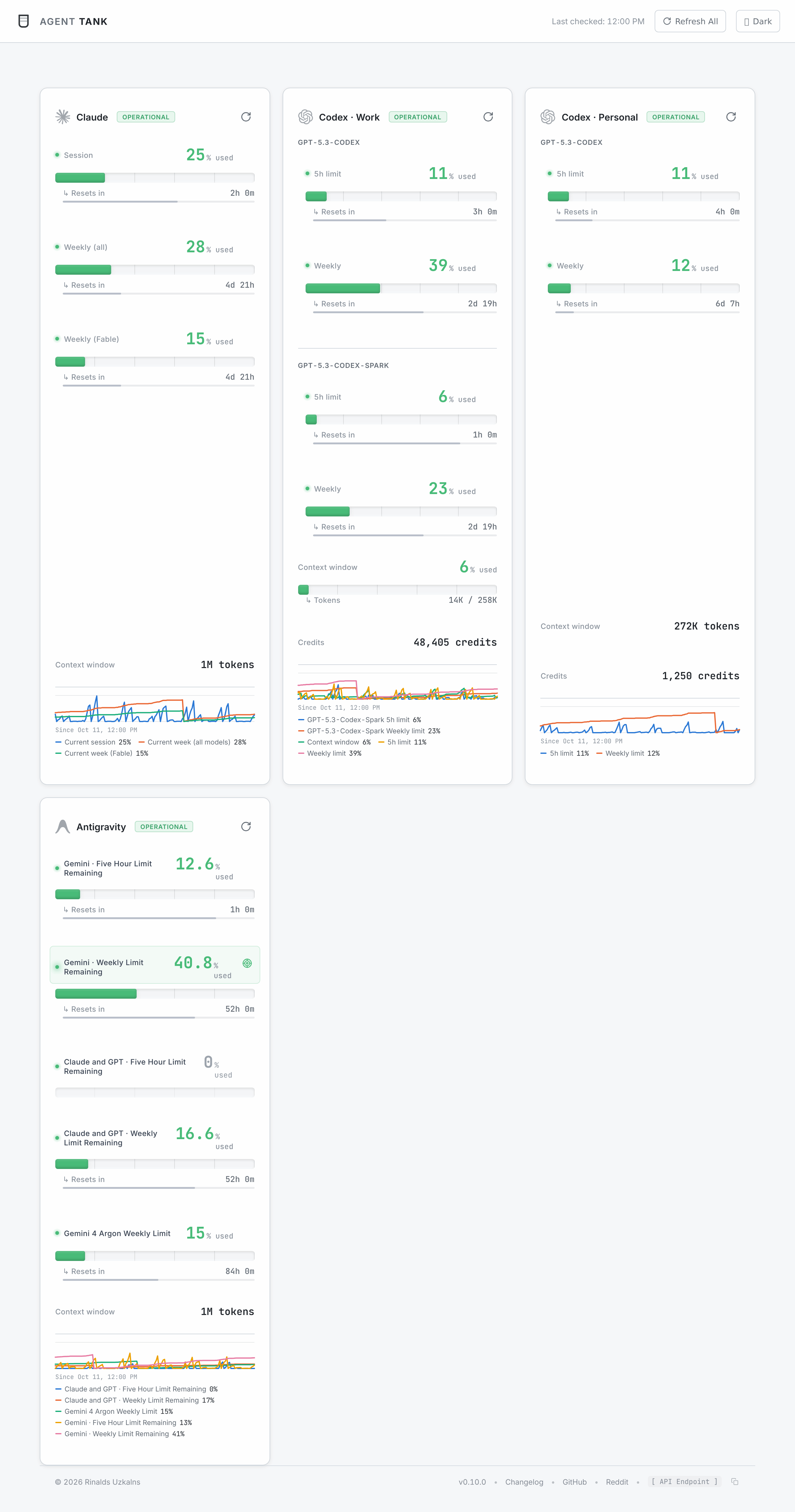
Then ask the API for the same data. Each provider starts as pending and switches to ok after its first refresh:
curl -s http://127.0.0.1:3456/status | jq '.providers[] | {id, status, windows: [.windows[] | {label, used_percent}]}'The response shape is described in the API reference.
Common commands
Monitor only specific agents. See Accounts and providers.
agent-tank --claude --agyUse a custom port. See Server options.
agent-tank --port 8080Keep Agent Tank running after closing this terminal. See Background mode.
agent-tank --backgroundFetch once and print JSON. See Output options.
agent-tank --once --jsonShow the installed Agent Tank version. See General options.
agent-tank --versionRequire at least 60 seconds between refreshes for the same agent. See Refresh options.
agent-tank --refresh-cooldown 60Build requirements by OS
node-pty requires native compilation support. You need:
- Python 3.8+
- C/C++ build tools
- Node.js development headers
Ubuntu / Debian
sudo apt-get install python3.11 python3.11-dev build-essential nodejs-devFedora / RHEL / CentOS
sudo dnf install python3.11 python3.11-devel gcc gcc-c++ make nodejs-developenSUSE
sudo zypper install python311 python311-devel gcc gcc-c++ make nodejs20-develmacOS
xcode-select --install
brew install [email protected]Windows
- Install Python 3.11+
- Install Visual Studio Build Tools
Troubleshooting
gyp ERR! during install
Your system is usually missing Python, compiler tools or Node headers (see Build requirements by OS). Then point the build at a working Python and rebuild:
PYTHON=/usr/bin/python3.11 npm install
npm run rebuildTimeout waiting for usage data
- Make sure the CLI works on its own and is authenticated.
- Check for trust prompts, auth prompts or update prompts.
- Try
--fresh-process. - Try disabling keepalive or background refresh while debugging.
context_window or plan is null
context_window needs the model the CLI is using; it is null when the CLI didn’t report a model (check raw.metadata.model) or the model isn’t in Agent Tank’s built-in table. Add or correct a size with the contextWindows config key, for example { "contextWindows": { "gemini-4-argon": 1048576 } }. Codex reports its own context window only while it has an active session, so it is often null from a fresh codex process.
plan is null when the CLI doesn’t show one, such as an Antigravity account without a plan next to its email.
No agents found
Make sure at least one supported CLI is installed and on your PATH; check with claude --version, codex --version, agy --version.
Port already in use
Start on another port:
agent-tank --port 8080Next steps
-
Every flag, environment variable and config file key.
-
Endpoints and the canonical response shape.
-
What Agent Tank tracks and how it stays local.
-
Runs /usage in the local Claude Code CLI, or reads the Anthropic OAuth usage API with --claude-api.
-
Prefers the Codex JSON-RPC account/rateLimits/read call and falls back to /status.
-
Runs /usage in the local agy CLI and reads its grouped quota screen.