Comparisons
Claude vs Codex vs Antigravity: what each is good at and how their limits compare
Claude Code, OpenAI Codex and Google Antigravity are all agentic coding tools sold with a subscription, and all three meter that subscription in time windows. This guide sets out what each vendor says its tool is for, which plans include it and how the limits are built, so you can choose one, or decide how to combine them, on your own terms.
Plans and limits change often. Numbers here were checked on the dates listed under Sources; always confirm on the provider’s own pages.
At a glance
The table puts the three side by side. The vendor columns quote each vendor’s own pages; the “Windows Agent Tank reports” column lists the limits Agent Tank reads from each CLI.
| Agent | CLI command | Plans that include it | Limit structure (vendor) | Windows Agent Tank reports | Extras |
|---|---|---|---|---|---|
| Claude Code (Anthropic) | claude |
Claude Code is included in all paid plans2 (Pro3 from $204 a month, Max 5x5, Max 20x6, Team) | Every plan has usage limits that reset on a rolling five-hour session window, and paid plans add weekly limits on top7 | Current session, Current week (all models), Current week (Fable) | Weekly Fable limit on Max (50% of weekly limits8); usage credits |
| OpenAI Codex (OpenAI) | codex |
Codex is included in ChatGPT Free, Go, Plus, Pro, Business, Edu and Enterprise plans9 (Plus $2010 a month, Pro from $10011) | Usage estimates are given as local messages per five-hour period for Plus and Standard Business12. Pro plans currently have no five-hour limit1. Weekly limits may also apply13 | 5h limit, Weekly limit, GPT-5.3-Codex-Spark 5h limit | Credits; per-model limits; context window usage |
| Antigravity CLI (Google) | agy |
All plans get access to all product features, such as scheduled tasks and the CLI14; quota is larger on Google AI Pro15 and Google AI Ultra16 | Google AI Pro15: a high, generous quota, refreshed every five hours until the weekly limit is reached17 | Gemini · Five Hour Limit Remaining, Gemini · Weekly Limit Remaining, Gemini 4 Argon Weekly Limit | Quota groups by model family; a separate Gemini 4 Argon pool; AI credits |
Every vendor describes its allowances in relative terms, not as a fixed number of messages or tokens. That makes the comparison about how the limits are structured, not how big they are. For a deeper look at the windows themselves, read how five-hour and weekly usage windows work.
Claude Code
Anthropic describes it this way: Claude Code is an agentic coding tool that reads your codebase, edits files, runs commands, and integrates with your development tools18. It runs on the terminal, IDE extensions (VS Code and JetBrains), a desktop app and the web19. The native installer supports macOS, Linux and WSL, plus Windows PowerShell and CMD20. The command is claude.
Limits. Both Pro and Max plans have a five-hour session limit and a weekly limit21. These limits are shared across Claude and Claude Code22. Max plans also have a separate weekly limit for Fable23. Allowances scale with the plan: Max 5x offers five times and Max 20x offers 20 times the Pro plan’s per-session usage allowance24.
The Claude Code usage limit tracker page shows how Agent Tank reads these windows, and Claude plans compared goes through each plan.
Codex
OpenAI describes the Codex CLI as a way to Inspect code, make changes, run commands, and automate repeatable work without leaving your terminal25. On Plus, Codex runs on the web, in the CLI, in the IDE extension, and on iOS26. The quickstart has install instructions for macOS/Linux, Windows, npm and Homebrew27. The command is codex.
Plans. Codex is included in ChatGPT Free, Go, Plus, Pro, Business, Edu and Enterprise plans9. OpenAI describes the tiers differently: Free is to “Explore Codex capabilities on quick coding tasks28”, Plus to “Power a few focused coding sessions each week29”, and for Pro: “Choose the Pro plan that fits your usage30” (Plans at $100, $200, or $500 USD per month31).
Limits. Usage estimates are given as local messages per five-hour period for Plus and Standard Business12. Pro plans currently have no five-hour limit1. Weekly limits may also apply13. These estimates are not fixed message limits; usage varies by model, task size, tools and caching32.
Per-model limits. The model you pick changes how far the allowance goes: On Plus, OpenAI estimates 5–45 local messages per five hours with GPT-6 Astra and 350–3,000 with GPT-6 Luna33. Codex can also report separate limits for individual models, which Agent Tank keeps as their own windows with model set.
Credits. Credits are the unit used to pay for eligible usage on credit-based plans, charged per million tokens at model-specific rates34. After you reach your included limits, available credits let you continue working35. Credit purchase prices and applicable discounts depend on your plan or agreement36. Agent Tank reports the balance as credits, next to the windows. More on the OpenAI Codex usage limit tracker.
Antigravity
Google’s own description: Google Antigravity is our agentic development platform, allowing anyone to build in the agent-first era37. It comes as a desktop app, the agy terminal client, editor extensions (VS Code, Visual Studio, JetBrains, Zed and Xcode) and a Python SDK38. The app supports macOS 12 (Monterey) or later, Windows 10 (64-bit) or Windows 11, and Linux with glibc 2.28 or later39. The CLI command is agy.
Plans. All plans get access to all product features, such as scheduled tasks and the CLI14. What changes between plans is quota: Google AI Ultra16 gets the highest, most generous quota, refreshed every five hours, with the highest weekly rate limits40 (plus Access to third-party models41), Google AI Pro15 gets a high, generous quota, refreshed every five hours until the weekly limit is reached17, and other accounts get a meaningful quota, refreshed weekly42.
Quota groups. The model selector shows quota per group (Gemini Models; Claude and GPT models), each with a Weekly Limit Remaining and a Five Hour Limit Remaining43. Each group has its own percentage and reset time.
Gemini 4 Argon. Gemini 4 Argon is available for Google AI Pro and Ultra in Google Antigravity44. The models page adds: Available with paid Google AI Pro plans or on trial with eligible premium devices45. The CLI reports it as a separate quota pool, which Agent Tank shows as its own weekly window. More on the Antigravity CLI usage limit tracker.
How the limits compare
Short windows and weekly windows
Claude’s short window is a session: Every plan has usage limits that reset on a rolling five-hour session window46. Codex and Antigravity call theirs a five-hour limit. On top of that, all three have a weekly limit, and on all three you can have room left in the short window and still be stopped by the weekly one. Agent Tank reports these as session, five_hour and weekly windows.
Per-model allowances
All three have some limit tied to a model or model group: Claude’s weekly Fable limit, Codex’s per-model limits, and Antigravity’s quota groups and Gemini 4 Argon pool. In Agent Tank these windows have model set, so you can tell them apart from the all-models windows.
What happens at the limit
- Claude Code: The limit message (“You’ve hit your session limit” or “You’ve hit your weekly limit”) shows when the window resets; these windows are shared across all models, so switching models with /model does not restore access47. With usage credits enabled, requests switch to pay-as-you-go pricing on usage credits and keep working, billed at standard API rates48.
- Codex: If you reach your usage limits during an active turn, the agent can continue working on that turn49. ChatGPT Plus and Pro users who reach their usage limit can purchase additional credits to continue working50.
- Antigravity: Once a model’s baseline quota is exhausted, the AI Credit Overages setting decides: Never (wait until the baseline quota refreshes) or Always (use purchased AI credits, consumed at standard Gemini Enterprise consumption pricing)51.
On all three, a full window blocks your plan’s included usage until it resets. Each vendor documents a paid way to keep going, and each lets you simply wait. How to avoid running out of limits mid-task covers how to plan around this.
Using more than one
The three are not mutually exclusive, and many developers use more than one: one agent for most work and another for a second opinion, or a second provider to fall back on when the first is near its weekly limit. The catch is that each CLI only shows its own limits, one at a time.
Agent Tank reads all of them and shows them together on one local dashboard, with a countdown to each reset:
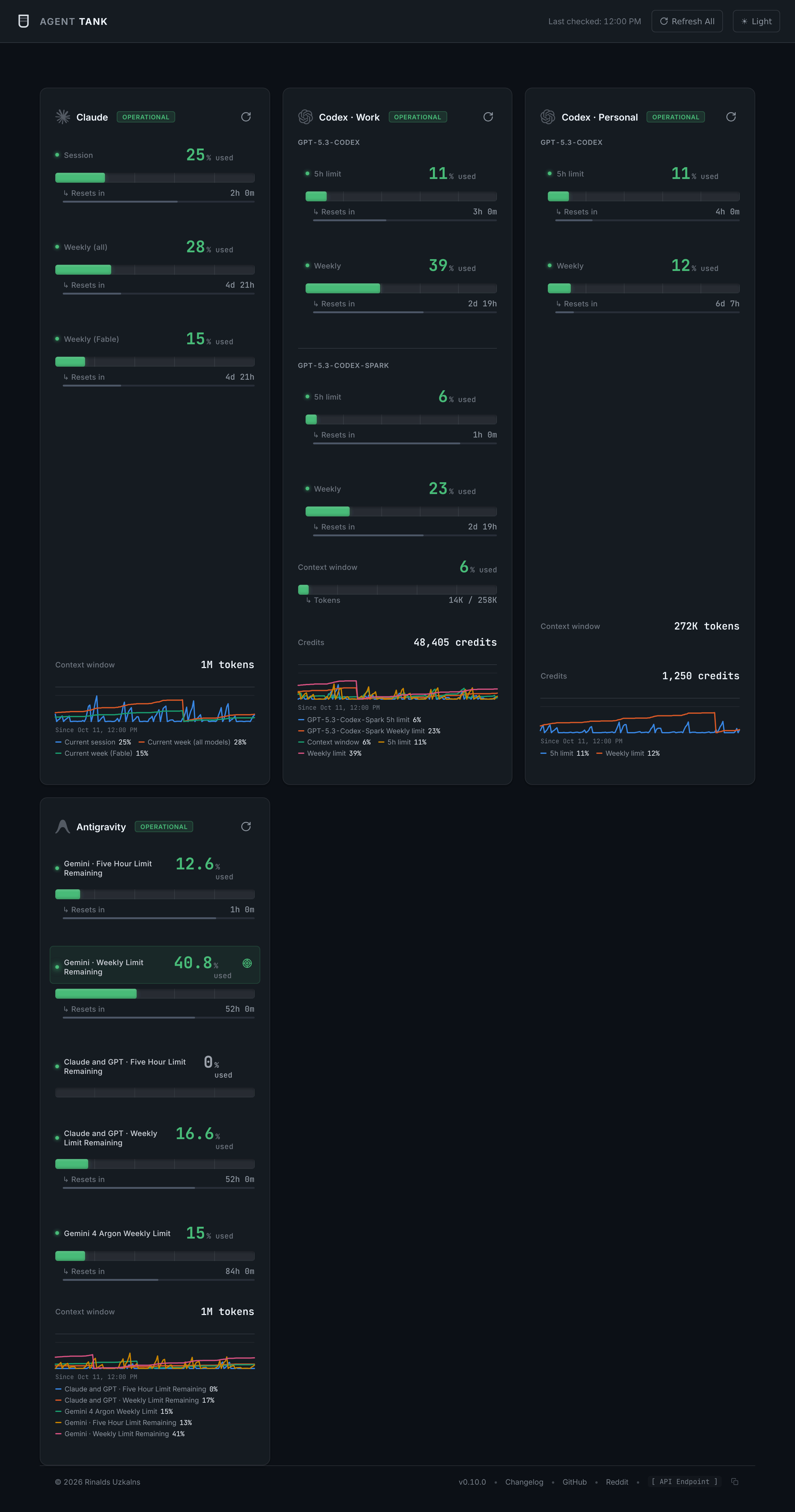
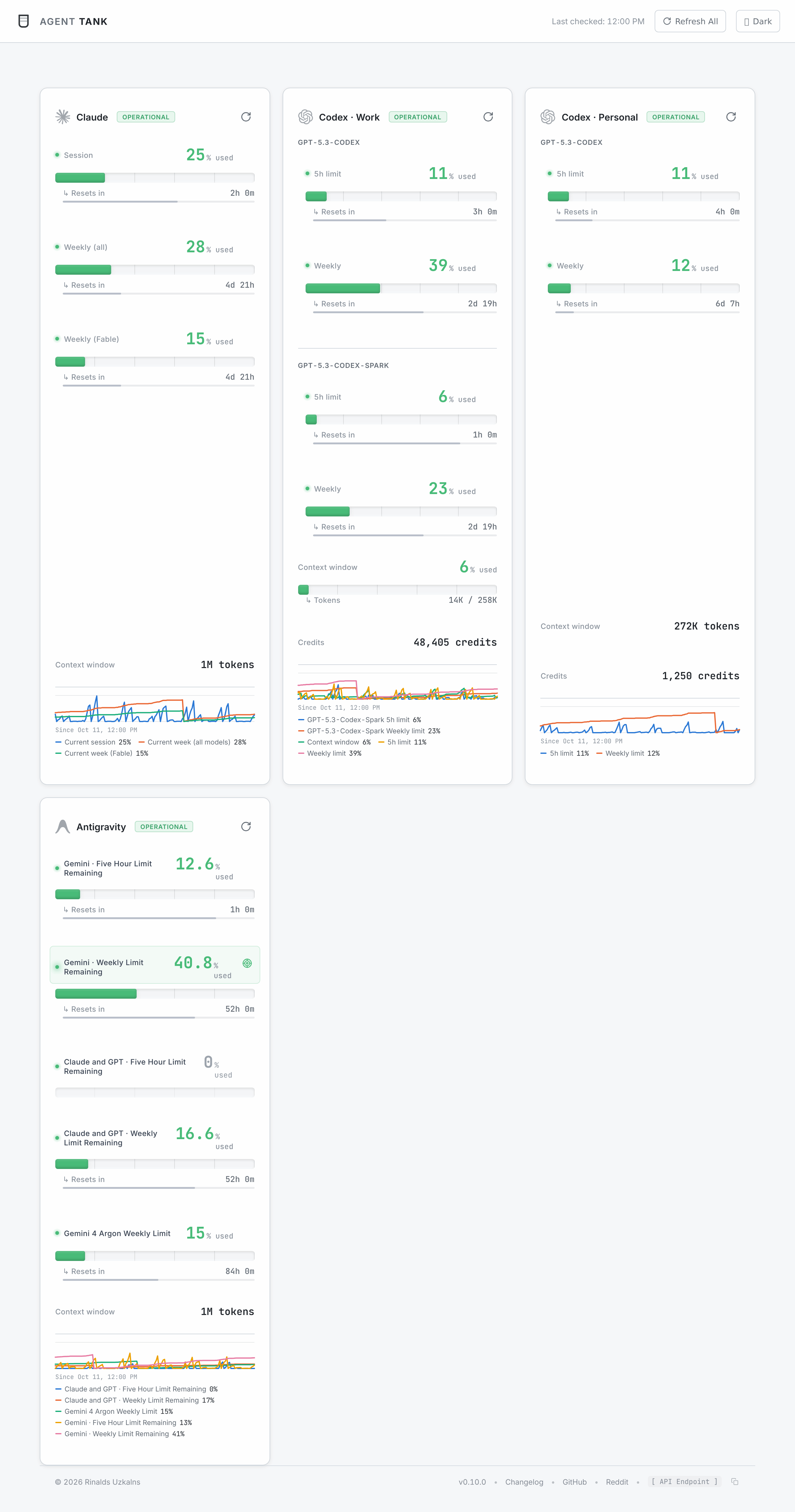
Its local API returns every provider in the same shape, so one script handles all three. Here is one window from each provider in GET /status (synthetic sample data):
[
  {
    "id": "claude",
    "provider": "claude",
    "plan": "max",
    "windows": [
      {
        "type": "session",
        "label": "Current session",
        "model": null,
        "used_percent": 25,
        "resets_at": "2026-10-17T14:00:00.000Z"
      }
    ]
  },
  {
    "id": "work",
    "provider": "codex",
    "plan": "pro",
    "windows": [
      {
        "type": "five_hour",
        "label": "5h limit",
        "model": null,
        "used_percent": 11,
        "resets_at": "2026-10-17T15:00:00.000Z"
      }
    ]
  },
  {
    "id": "agy",
    "provider": "antigravity",
    "plan": "google ai pro",
    "windows": [
      {
        "type": "five_hour",
        "label": "Gemini · Five Hour Limit Remaining",
        "model": "Gemini",
        "used_percent": 12.63,
        "resets_at": "2026-10-17T13:00:00.000Z"
      }
    ]
  }
]To list every window of every account yourself:
curl -s http://127.0.0.1:3456/status | jq '.providers[] | {id, provider, plan, windows: [.windows[] | {label, used_percent, resets_at}]}'If you legitimately have more than one account with the same provider, such as a work and a personal plan, see multiple accounts per provider. The API examples show status bars and alert scripts built on the same data.
How to choose
There is no single right answer, and this guide does not rank the three. These questions help you decide what fits:
- Which subscription do you already have? If you already pay for Claude, ChatGPT or Google AI, check in the table above whether your plan includes that vendor’s agent before paying for another one.
- Where do you work? Check each vendor’s supported platforms and editors (listed above) against your own setup.
- How do you use up limits? Long, steady days stress weekly windows; short bursts stress the five-hour or session window. Watch both for a week or two before you upgrade or switch.
- Which models do you want? Per-model limits mean the model you prefer can run out before the plan as a whole.
- What should happen at the limit? Decide whether you would rather pay for credits or wait for a reset, and check how each vendor handles it.
Whichever you choose, get started with Agent Tank to see every window in one place.
Sources
Every plan name, number and limit behaviour above links to one of these official pages.
- Codex five-hour limit on Pro: learn.chatgpt.com/docs/pricing (checked )
- Claude Code included in paid Claude plans: claude.com/pricing (checked )
- Claude plan name: Pro: claude.com/pricing (checked )
- Claude Pro price per month, billed monthly (USD): claude.com/pricing (checked )
- Claude plan name: Max 5x: support.claude.com/en/articles/11049741-what-is-the-max-plan (checked )
- Claude plan name: Max 20x: support.claude.com/en/articles/11049741-what-is-the-max-plan (checked )
- Claude session and weekly limits by plan: claude.com/pricing (checked )
- Fable on Max 5x and Max 20x (pricing table): claude.com/pricing (checked )
- ChatGPT plans that include Codex: learn.chatgpt.com/docs/pricing (checked )
- ChatGPT Plus price per month (USD): learn.chatgpt.com/docs/pricing (checked )
- ChatGPT Pro starting price per month (USD): learn.chatgpt.com/docs/pricing (checked )
- Codex five-hour period (Plus and Standard Business): learn.chatgpt.com/docs/pricing (checked )
- Codex weekly limits: learn.chatgpt.com/docs/pricing (checked )
- Antigravity features on every plan: antigravity.google/docs/plans (checked )
- Antigravity paid plan name: Google AI Pro: antigravity.google/docs/plans (checked )
- Antigravity paid plan name: Google AI Ultra: antigravity.google/docs/plans (checked )
- Antigravity quota on Google AI Pro: antigravity.google/docs/plans (checked )
- What Anthropic says Claude Code is: code.claude.com/docs/en/overview (checked )
- Where Claude Code runs: code.claude.com/docs/en/overview (checked )
- Claude Code CLI install platforms: code.claude.com/docs/en/overview (checked )
- Claude Pro and Max limit types: support.claude.com/en/articles/11145838-use-claude-code-with-your-pro-or-max-plan (checked )
- Claude and Claude Code share limits: support.claude.com/en/articles/11145838-use-claude-code-with-your-pro-or-max-plan (checked )
- Claude Max separate weekly Fable limit: support.claude.com/en/articles/11145838-use-claude-code-with-your-pro-or-max-plan (checked )
- Claude Max allowance relative to Pro: support.claude.com/en/articles/11049741-what-is-the-max-plan (checked )
- What OpenAI says the Codex CLI is for: learn.chatgpt.com/docs/cli (checked )
- Where Codex runs on ChatGPT Plus: learn.chatgpt.com/docs/pricing (checked )
- Codex CLI install options: learn.chatgpt.com/docs/cli (checked )
- OpenAI’s description of Codex on ChatGPT Free: learn.chatgpt.com/docs/pricing (checked )
- OpenAI’s description of Codex on ChatGPT Plus: learn.chatgpt.com/docs/pricing (checked )
- OpenAI’s description of Codex on ChatGPT Pro: learn.chatgpt.com/docs/pricing (checked )
- ChatGPT Pro price options: learn.chatgpt.com/docs/pricing (checked )
- Codex message estimates are not fixed limits: learn.chatgpt.com/docs/pricing (checked )
- Codex message estimates per model (Plus): learn.chatgpt.com/docs/pricing (checked )
- What Codex credits are: learn.chatgpt.com/docs/pricing (checked )
- Codex credits after included limits: learn.chatgpt.com/docs/pricing (checked )
- Codex credit prices: learn.chatgpt.com/docs/pricing (checked )
- What Google says Antigravity is: antigravity.google (checked )
- Antigravity surfaces: antigravity.google/docs/getting-started (checked )
- Antigravity app supported operating systems: antigravity.google/docs/getting-started (checked )
- Antigravity quota on Google AI Ultra: antigravity.google/docs/plans (checked )
- Antigravity Google AI Ultra: third-party models: antigravity.google/docs/plans (checked )
- Antigravity quota without Google AI Pro or Ultra: antigravity.google/docs/plans (checked )
- Antigravity quota groups in the model selector: antigravity.google/docs/models (checked )
- Gemini 4 Argon availability: antigravity.google/docs/plans (checked )
- Gemini 4 Argon on the models page: antigravity.google/docs/models (checked )
- Claude session window is rolling: claude.com/pricing (checked )
- Claude Code session and weekly limit messages: code.claude.com/docs/en/costs (checked )
- Claude usage credits after a limit: support.claude.com/en/articles/12429409-manage-usage-credits-for-paid-claude-plans (checked )
- Codex behaviour when a limit is hit mid-turn: learn.chatgpt.com/docs/pricing (checked )
- Codex credits after a limit (Plus and Pro): learn.chatgpt.com/docs/pricing (checked )
- Antigravity behaviour when baseline quota is exhausted: antigravity.google/docs/plans (checked )