Comparisons
Claude Code /usage vs /status
Claude Code has two built-in commands that people reach for when they want to know where they stand: /usage and /status. They open different screens and answer different questions. This guide puts them side by side, using Anthropic’s own command reference, and shows where Agent Tank fits.
Plans and limits change often. Numbers here were checked on the dates listed under Sources; always confirm on the provider’s own pages.
At a glance
Both are slash commands you type at the Claude Code prompt, and both are quick to run in the middle of work: Claude Code runs some commands immediately without interrupting the response, such as /status and /usage3. The difference is what they are about. /usage is about your plan’s limits; /status is about this session and how it is signed in.
| Your question | Command |
|---|---|
| How much of my session and weekly limits have I used? | /usage |
| When does each limit reset? | /usage |
| What is using up my plan limits? | /usage |
| Which account, model and version is this session using? | /status |
| Which settings files did Claude Code load? | /status |
| Why do my plan bars not move? | /status, then /usage |
The rest of this guide goes through each command as Anthropic’s documentation describes it. For a step-by-step walk through checking your usage, see how to check your Claude Code usage and remaining limits; for how Agent Tank reads Claude, see the Claude Code usage limit tracker.
What /usage shows
In Anthropic’s command reference, /usage shows session cost, plan usage limits and activity stats; /cost and /stats are aliases4. Its troubleshooting page puts the main purpose plainly: Run /usage to see your plan limits and when they reset1. There is one more alias with a twist: /stats is an alias for /usage that opens on the Stats tab5.
On a subscription, the part to read is the plan bars, one per limit, each with its reset time. These are the rows Agent Tank reads from that screen, under the labels Claude Code gives them:
- Current session
- Current week (all models)
- Current week (Fable) (Max accounts only)
The cost block at the top is easy to misread. The Session cost block in /usage shows API token usage and is intended for API users; Pro and Max usage is included in the subscription, so that cost figure isn’t relevant for billing, and subscribers see plan usage bars instead6.
Below the bars there is more. On a Pro, Max, Team or Enterprise plan, /usage shows what counts against your plan limits, with recommendations7. Two more things can appear there. First, /usage also shows a usage-credits row while usage credits are on8. Second, a shortcut to act on the recommendations: When the /usage footer shows a hint such as “f to fix 2 of 3”, press f to have Claude Code act on the recommendations it can; the f shortcut requires Claude Code v2.1.305 or later9.
What /status shows
The command reference describes /status in one line: /status opens the Settings interface on the Status tab, showing version, model, account and connectivity2. It does not list your plan limits there, and it is not where the plan bars live.
The settings documentation adds two details. First, /status and /config open the same dialog on different tabs10, so switching tabs in that dialog takes you to the settings themselves. Second, it describes a line that is useful when a setting seems to be ignored: The Status tab includes a Setting sources line that lists each settings file Claude Code loaded for the current session, such as User settings or Project local settings11.
Newer versions add a row: A Session kind row reads “background job · attached” or “background job · unattended” in a background session, and “interactive” in any other session; before v2.1.221, /status didn’t show this row12.
One place in Anthropic’s documentation still points to /status for limits: the help-centre article on using Claude Code with a Pro or Max plan names /status13 as the command to monitor your remaining allocation. In the current command reference, the plan bars are under /usage; if one does not show them, try the other.
Which one to use
Most of the time the answer is /usage: it is the only one of the two with percentages and reset times. Reach for /status when the numbers look wrong rather than high.
- The plan bars do not move, or are missing. Run
/statusfirst and look at the account. If the ANTHROPIC_API_KEY environment variable is set, Claude Code uses that key instead of your subscription, resulting in API usage charges rather than using your subscription’s included usage14. If you’re already logged in to Claude Code via Claude Console pay-as-you-go, run /login from within Claude Code to switch to your subscription plan15. - A limit message appeared. Run
/usageto see which window is full and when it resets. What happens when you hit the Claude weekly limit covers the weekly case. - You want to know if you are going too fast.
/usagegives you the share used; compare it with how much of the window has passed, or let Agent Tank do it, as pace and burn rate explains.
If you use Claude Code inside VS Code, the extension shows the usage side as a dialog. Anthropic’s VS Code page says: In the VS Code extension, /usage opens the Account & usage dialog, which shows your signed-in account and your usage; on a claude.ai plan that means usage bars for your plan’s limits, such as the current session and the week16.
Version requirements
The command reference does not give a minimum Claude Code version for /usage or /status themselves. The only versions it and the costs page name are for the newer parts covered above: the Session kind row and the fix shortcut.
Agent Tank has its own requirement, from its README: Version 2.0+ required for /usage. This release of Agent Tank (0.10.0) was verified with Claude Code 2.1.302. To see which version you have, run claude --version, or read it on the /status screen.
How Agent Tank relates
Agent Tank reads the same data you see in /usage. By default, Claude usage is collected via PTY by running /usage. It also reads the login method from Claude Code’s /status screen to fill in your plan: Claude's /status login method, lowercased ("max"). If Claude doesn't report a plan, it falls back to "max" when a weekly Fable window is present, and null otherwise.
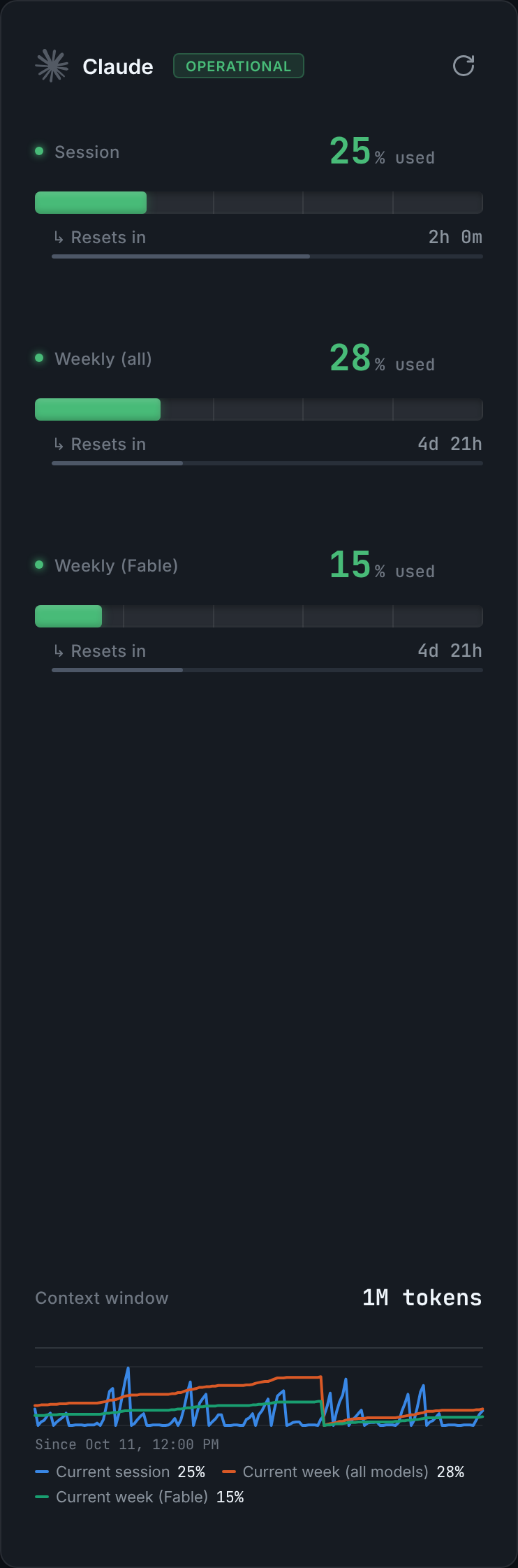
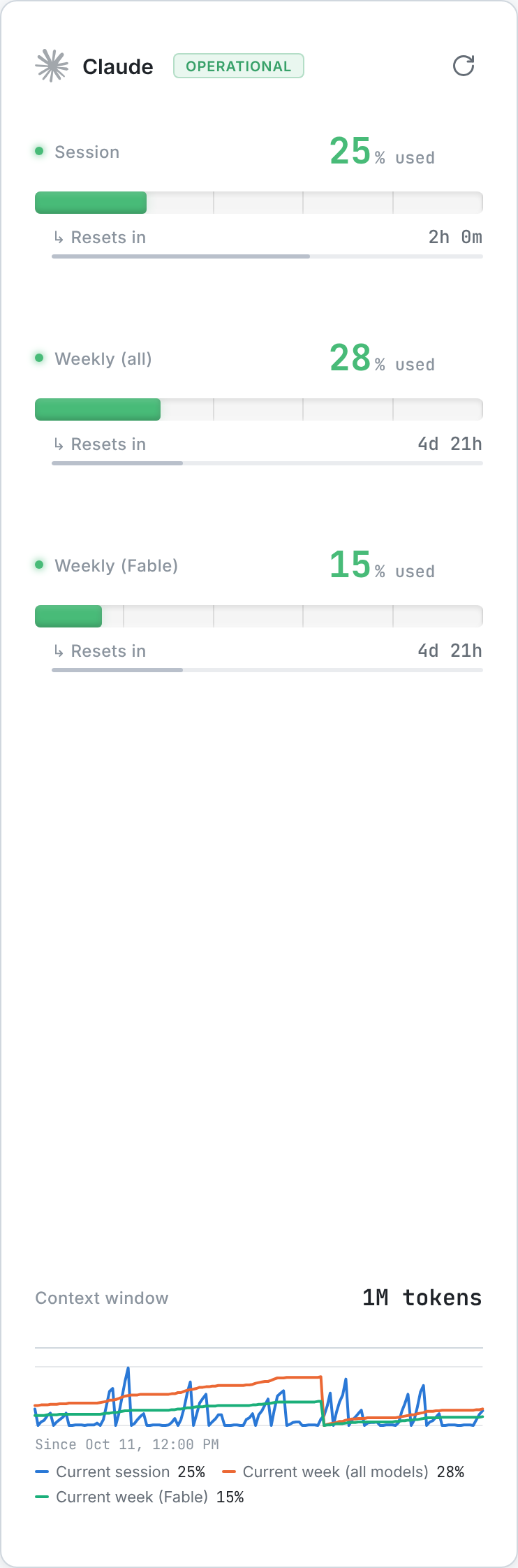
The names overlap, so to be clear: Agent Tank’s GET /status/:id is an HTTP endpoint on your machine, not Claude Code’s /status command. It returns the /usage rows plus the plan. This prints both for the Claude account:
curl -s http://127.0.0.1:3456/status/claude | jq '{plan, windows: [.windows[] | {label, used_percent, resets_at}]}'{
"plan": "max",
"windows": [
{
"label": "Current session",
"used_percent": 25,
"resets_at": "2026-10-17T14:00:00.000Z"
},
{
"label": "Current week (all models)",
"used_percent": 28,
"resets_at": "2026-10-22T09:00:00.000Z"
},
{
"label": "Current week (Fable)",
"used_percent": 15,
"resets_at": "2026-10-22T09:00:00.000Z"
}
]
}Unlike the slash commands, this works outside a Claude Code session, from a status bar or a script; reading usage from a script or VS Code task has examples. Getting started installs Agent Tank.
Sources
Every plan name, number and limit behaviour above links to one of these official pages.
- Claude Code /usage shows plan limits and reset times: code.claude.com/docs/en/errors (checked )
- Claude Code /status command: code.claude.com/docs/en/commands (checked )
- Claude Code runs /status and /usage during a response: code.claude.com/docs/en/commands (checked )
- Claude Code /usage command: code.claude.com/docs/en/commands (checked )
- Claude Code /stats command: code.claude.com/docs/en/commands (checked )
- Claude Code /usage cost figure vs plan usage bars: code.claude.com/docs/en/costs (checked )
- Claude Code /usage plan usage breakdown: code.claude.com/docs/en/costs (checked )
- Claude Code /usage usage-credits row: code.claude.com/docs/en/costs (checked )
- Claude Code /usage fix shortcut and its version: code.claude.com/docs/en/costs (checked )
- Claude Code /status and /config share one dialog: code.claude.com/docs/en/settings (checked )
- Claude Code /status Setting sources line: code.claude.com/docs/en/settings (checked )
- Claude Code /status Session kind row: code.claude.com/docs/en/commands (checked )
- Claude Code command to monitor remaining allocation: support.claude.com/en/articles/11145838-use-claude-code-with-your-pro-or-max-plan (checked )
- ANTHROPIC_API_KEY takes precedence over a Pro or Max subscription: support.claude.com/en/articles/11145838-use-claude-code-with-your-pro-or-max-plan (checked )
- Switch Claude Code from Console to a subscription with /login: support.claude.com/en/articles/11145838-use-claude-code-with-your-pro-or-max-plan (checked )
- Claude Code VS Code extension Account & usage dialog: code.claude.com/docs/en/vs-code (checked )