Limits and plans
The Claude Fable weekly limit on Max
Claude Max has two weekly limits: one for all models and a separate one for Fable. This guide explains which plans get Fable and on what terms, what Anthropic does and does not publish about the size of the Fable limit, how the Fable window appears in Claude Code and Agent Tank, and what Anthropic’s pages say happens when you reach it.
Plans and limits change often. Numbers here were checked on the dates listed under Sources; always confirm on the provider’s own pages.
Which plans get Fable
Claude Fable 5 and Claude Fable 5.1 are available on all paid plans (Pro, Max, Team, and Enterprise)4. What differs is whether Fable draws on the plan’s included usage or on usage credits.
- Max 5x and Max 20x. On Max plans, Fable 5 and Fable 5.1 are a standard part of the plan: you can use up to 50% of your weekly usage limits on Fable models at no extra cost, and they draw from your regular weekly usage limits and use them faster than other Claude models5.
- Pro. On Pro plans and standard seats on Team plans, Fable 5 and Fable 5.1 aren’t included in the plan’s usage limits; they run on pay-as-you-go usage credits from the start6. The pricing table lists Fable on Pro as Usage credits2.
That is why the separate weekly limit is a Max feature. Both Pro and Max plans have a five-hour session limit and a weekly limit7, and Max plans also have a separate weekly limit for Fable1. On Pro there is no Fable window to fill, because Fable never runs on included usage there. Is Claude Max worth it for heavy Claude Code use? covers the wider choice between the plans; this guide stays on the Fable limit itself.
How big the Fable limit is
Anthropic describes the Fable limit only in relation to the weekly limit. The pricing table lists Fable on Max 5x and Max 20x as 50% of weekly limits3, and the Fable help article uses the same share. Neither page gives an absolute figure, such as a number of messages, hours or tokens.
The same is true of the weekly limit it is a share of: No message counts are published; Max allowances are described only relative to Pro’s per-session allowance8. How much you can do depends on the length and complexity of your conversations, the model you choose, and the features you use, so there’s no fixed message count9. And the Fable article says Fable models use the weekly limits faster than other Claude models without saying by how much.
So there is no published number to convert into a Fable allowance, and this guide does not estimate one. One point Anthropic does make clear is that the Fable share is not extra room: The Fable limit is not 50% on top of your weekly limit: your use of other models draws from the same usage limits, and you can never use more than your weekly limit; you can track both in your usage settings10.
Anthropic also keeps the right to change limits: Anthropic may limit usage in other ways, such as weekly and monthly caps or model and feature usage, at its discretion11.
Where the Fable window shows up
In Claude and Claude Code
In Claude Code, /usage shows session cost, plan usage limits and activity stats; /cost and /stats are aliases12. The Session cost block in /usage shows API token usage and is intended for API users; Pro and Max usage is included in the subscription, so that cost figure isn’t relevant for billing, and subscribers see plan usage bars instead13. The Fable help article points to the same place in the apps: you can track the Fable limit and the weekly limit side by side in your usage settings, Settings > Usage14.
In Agent Tank
Agent Tank reads /usage (or Anthropic’s usage API with --claude-api) and reports each limit as a window. The two weekly windows share a type, so model tells them apart: The model (or model group) the window is specific to, such as "Fable" or "GPT-5.3-Codex-Spark"; null for windows covering all models. Use it to tell apart windows that share a type. Antigravity's grouped limits use the group name.
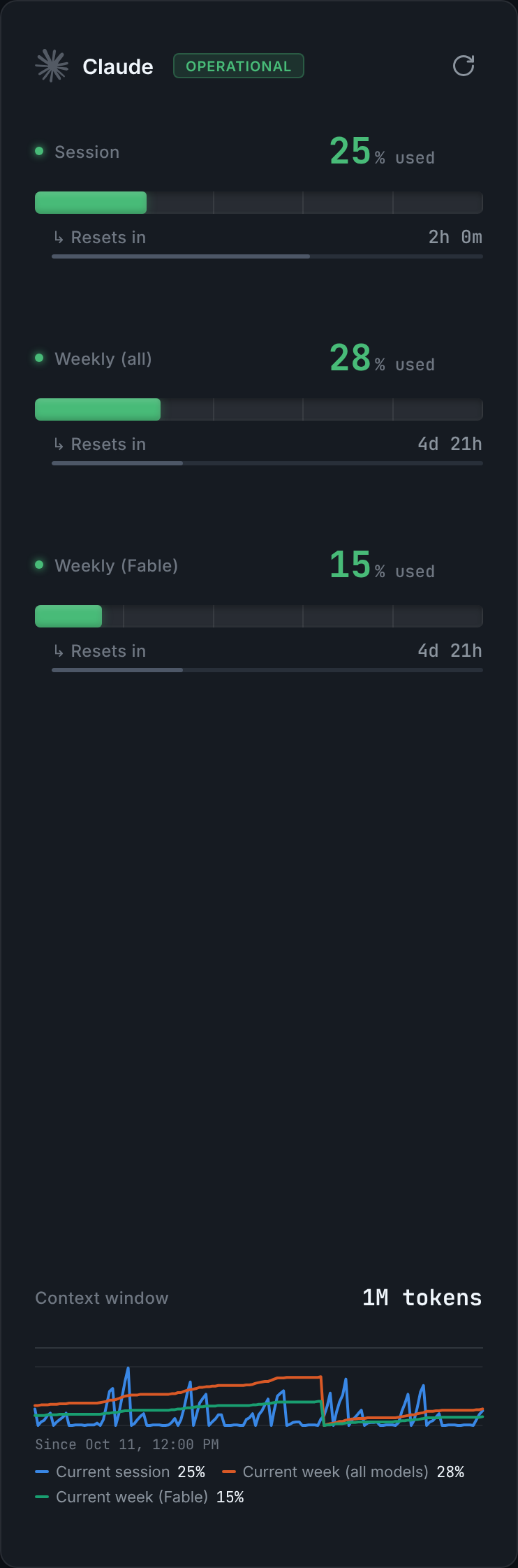
Here are both weekly windows from Agent Tank’s synthetic sample:
[
  {
    "type": "weekly",
    "label": "Current week (all models)",
    "model": null,
    "used_percent": 28,
    "remaining_percent": 72,
    "resets_at": "2026-10-22T09:00:00.000Z",
    "resets_in_seconds": 421200,
    "pace": {
      "ratio": 0.92,
      "burning_fast": false
    }
  },
  {
    "type": "weekly",
    "label": "Current week (Fable)",
    "model": "Fable",
    "used_percent": 15,
    "remaining_percent": 85,
    "resets_at": "2026-10-22T09:00:00.000Z",
    "resets_in_seconds": 421200,
    "pace": {
      "ratio": 0.49,
      "burning_fast": false
    }
  }
]The Fable window is the Current week (Fable) track (Max accounts only). It has its own used_percent, its own resets_at and its own pace, so it can fill faster or slower than the all-models week. In the sample the two reset at the same time; read each window’s own resets_at rather than assuming that. Under raw.usage.weeklyFable, the sample keeps the window as the CLI reported it:
{
  "label": "Current week (Fable)",
  "percent": 15,
  "resetsAt": "2026-10-22T09:00:00.000Z",
  "resetsIn": "4d 21h"
}Anthropic’s pages do not say whether the Fable bar’s percentage is measured against the Fable share or against the whole week, so Agent Tank passes on what Claude reports without converting it. To read only the Fable window in a script:
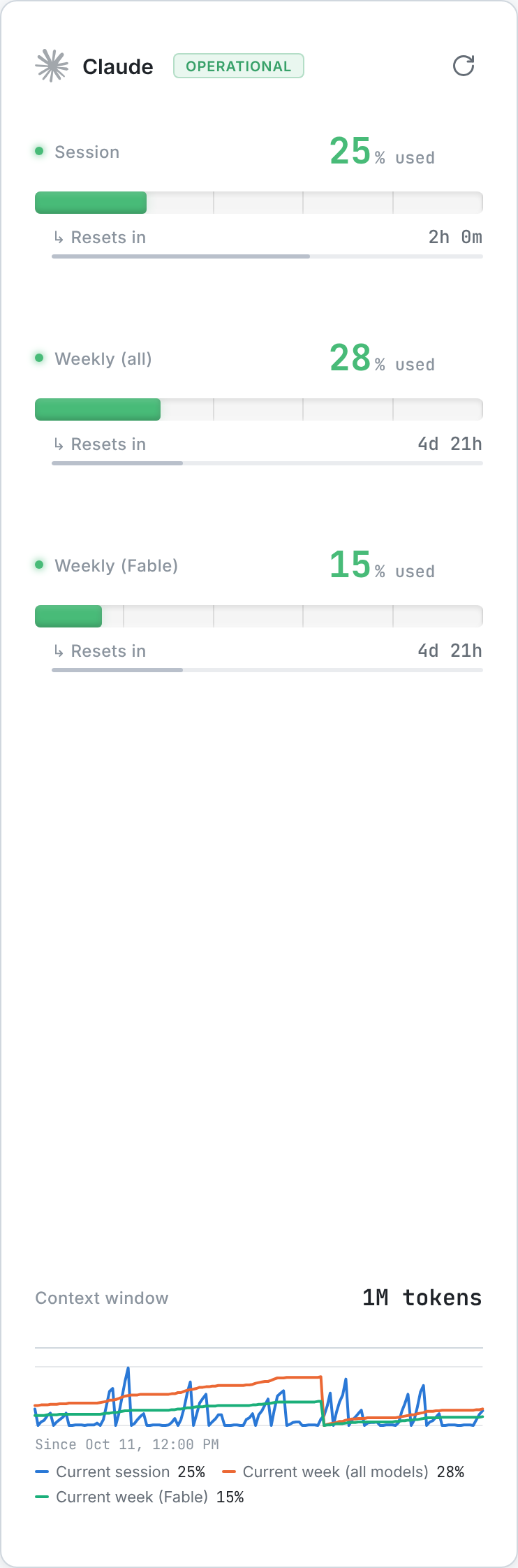
curl -s http://127.0.0.1:3456/status/claude | jq '.windows[] | select(.model == "Fable")'Its pace works like any other window’s. ratio: Usage rate vs elapsed-time rate (above 1 means usage is out-pacing the window). burning_fast: Whether usage is on track to exhaust the window early. The dashboard shows all three Claude windows on one card:
When the Fable limit is reached
The Fable limit can fill while the all-models week still has room. For that case Anthropic says: Once you use up to 50% of your weekly usage limits on Fable models, you can keep using Fable models with usage credits, or switch to another Claude model to keep working within your plan’s usage limits15. This works the same way across Claude on the web, Claude Mobile, Claude Desktop, Claude Cowork, and Claude Code16.
The two ways forward work as follows, as far as the docs describe them:
- Switch to another model. You keep working on your plan’s included usage, which still counts toward the all-models week. The general rule for model-specific limits is the same: After a model-specific message such as “You’ve hit your Opus limit”, switching to a model outside that family with /model keeps you working17.
- Continue on Fable with usage credits. On Max, usage credits keep you working after your five-hour session limit, your general weekly limit, or your separate weekly limit for Fable18. Claude Code marks this in two places. When Fable usage bills to usage credits instead of your plan’s included limits, the /model picker shows “Requires usage credits” on the Fable row19. In interactive sessions, Claude Code shows a consent prompt before a Fable request bills usage credits; you can continue on Fable using usage credits or switch to your default model20.
Unattended runs behave differently, which matters if you script Claude Code. In non-interactive mode with the -p flag, and in an Agent SDK application that doesn’t show the prompt, Claude Code never asks for consent and bills a Fable request to usage credits without asking21. And where the prompt is shown but nobody is there: If the consent prompt closes with nobody answering it, Claude Code ends the turn with a message such as “Fable limit reached · continuing on Fable 5.1 uses usage credits, and the prompt to confirm went unanswered — nothing was sent”22.
Claude usage credits explained covers the spend limit and auto-reload that decide how far usage credits go. Anthropic’s pages do not describe anything else about this state, such as a separate warning before the Fable limit, so this guide does not either.
How it relates to the all-models weekly limit
The Fable window does not replace the weekly limit; it sits inside it. Reaching the all-models weekly limit is a different case: The limit message (“You’ve hit your session limit” or “You’ve hit your weekly limit”) shows when the window resets; these windows are shared across all models, so switching models with /model does not restore access23. What happens when you hit the Claude weekly limit covers that case, and Claude plans compared lists what each plan includes.
To pick Fable in Claude Code in the first place: Neither Fable model is the account-type default on any plan; run /model fable or launch with claude --model fable to use Fable 5.124. The Claude Code usage limit tracker page explains how Agent Tank reads Claude, and getting started installs it.
Sources
Every plan name, number and limit behaviour above links to one of these official pages.
- Claude Max separate weekly Fable limit: support.claude.com/en/articles/11145838-use-claude-code-with-your-pro-or-max-plan (checked )
- Fable on the Pro plan (pricing table): claude.com/pricing (checked )
- Fable on Max 5x and Max 20x (pricing table): claude.com/pricing (checked )
- Claude plans with Fable models: support.claude.com/en/articles/15424964-claude-fable-models-on-your-plan (checked )
- Fable on Max plans: support.claude.com/en/articles/15424964-claude-fable-models-on-your-plan (checked )
- Fable on Pro plans and Team standard seats: support.claude.com/en/articles/15424964-claude-fable-models-on-your-plan (checked )
- Claude Pro and Max limit types: support.claude.com/en/articles/11145838-use-claude-code-with-your-pro-or-max-plan (checked )
- Claude message counts per plan: support.claude.com/en/articles/11049741-what-is-the-max-plan (checked )
- What decides how far a Claude plan stretches: claude.com/pricing (checked )
- The Fable limit is part of the weekly limit, not extra: support.claude.com/en/articles/15424964-claude-fable-models-on-your-plan (checked )
- Claude additional usage limits at Anthropic’s discretion: support.claude.com/en/articles/11049741-what-is-the-max-plan (checked )
- Claude Code /usage command: code.claude.com/docs/en/commands (checked )
- Claude Code /usage cost figure vs plan usage bars: code.claude.com/docs/en/costs (checked )
- Where Claude shows the next reset time: support.claude.com/en/articles/11049741-what-is-the-max-plan (checked )
- What happens at the Fable limit on Max: support.claude.com/en/articles/15424964-claude-fable-models-on-your-plan (checked )
- Fable limit behaviour across Claude apps: support.claude.com/en/articles/15424964-claude-fable-models-on-your-plan (checked )
- Claude Code model-specific limit messages: code.claude.com/docs/en/costs (checked )
- Which Max limits usage credits cover: support.claude.com/en/articles/11145838-use-claude-code-with-your-pro-or-max-plan (checked )
- Claude Code /model picker: Fable requires usage credits: code.claude.com/docs/en/model-config (checked )
- Claude Code Fable usage-credits consent prompt: code.claude.com/docs/en/model-config (checked )
- Claude Code Fable billing without a consent prompt: code.claude.com/docs/en/model-config (checked )
- Claude Code message when the Fable consent prompt goes unanswered: code.claude.com/docs/en/errors (checked )
- Claude Code session and weekly limit messages: code.claude.com/docs/en/costs (checked )
- Selecting Fable in Claude Code: code.claude.com/docs/en/model-config (checked )