Limits and plans
Codex credits vs plan limits: when credits are used
Codex on a ChatGPT plan has two kinds of capacity: the plan’s usage limits, which refill on a clock, and credits, which are a balance you spend. This guide is about how the two relate: what each one is, when OpenAI says credits come into play, who can buy them, and how to read a credit balance alongside the windows.
Plans and limits change often. Numbers here were checked on the dates listed under Sources; always confirm on the provider’s own pages.
Plan limits vs credits
The two are measured differently, which is the root of most confusion about them.
Plan limits
Plan limits are the usage included in your ChatGPT plan, and they refill on a clock. Usage estimates are given as local messages per five-hour period for Plus and Standard Business4; Pro plans currently have no five-hour limit5. Weekly limits may also apply6. Some models have limits of their own, which Agent Tank shows as separate windows, such as GPT-5.3-Codex-Spark 5h limit in its sample data. OpenAI’s caveat applies to all of them: These estimates are not fixed message limits; usage varies by model, task size, tools and caching7.
In Agent Tank these are the 5h limit (five_hour), Weekly limit (weekly) and per-model windows, each with a percentage used and a reset time.
Credits
Credits are a balance, not a window. Credits are the unit used to pay for eligible usage on credit-based plans, charged per million tokens at model-specific rates8. Credit rates are quoted per million input, cached input and output tokens at Standard speed, and Codex credit billing has no separate cache-write charge9. A window reset does not top up a credit balance; the balance goes down as you spend credits and up when you buy more.
For a broader tour of Codex limits, the context window and the CLI commands, see Codex usage limits and credits explained. This guide stays on the question of how the two kinds of capacity relate.
When credits are used
OpenAI’s pricing page states the order in one sentence: After you reach your included limits, available credits let you continue working1. The same applies to images: After you reach your included limits, image generation also draws from credits10. So included usage comes first and credits come after.
There is a grace step before that. If you reach your usage limits during an active turn, the agent can continue working on that turn11, so a turn that was running when you reached the limit does not stop half-way.
Several things the page does not spell out, and this guide will not guess at:
- whether credits are drawn automatically once a limit is reached or only after you choose to use them;
- whether reaching a single per-model limit is enough for credits to apply, or only the account-wide windows;
- whether usage goes back to the plan straight away once a window resets while you still have credits.
If any of these matters for your budget, check your usage dashboard, which OpenAI lists along with the CLI as the places to see current limits: the usage dashboard (chatgpt.com/codex/settings/usage), or /status in an active Codex CLI session12.
An API key is a separate route, not credits. All users may also run extra local chats using an API key, with usage charged at standard API rates13. API token prices are separate from subscription usage; don’t use them to estimate included tasks14.
Who can buy credits
OpenAI describes this per plan:
- Plus and Pro. ChatGPT Plus and Pro users who reach their usage limit can purchase additional credits to continue working2. The Plus plan card lists “Flexibly extend usage with ChatGPT credits15”.
- Business, Edu and Enterprise. Business, Edu, and Enterprise plans with flexible pricing can purchase additional workspace credits to continue working3. Enterprise/Edu users with flexible pricing have no fixed rate limits; usage scales with credits16. The details are in OpenAI’s help article on flexible pricing for Enterprise, Edu and Business plans17, which could not be read for this guide, so it is linked rather than quoted.
The pricing page does not describe buying credits on Free or Go. What you pay for them varies: Credit purchase prices and applicable discounts depend on your plan or agreement18.
How fast credits go
A credit balance runs down at very different speeds depending on the model. At Standard speed, OpenAI quotes 250 credits19 per million input tokens for GPT-6 Astra and 2.5 credits20 for GPT-6 Luna, so the same input costs 100 times as many credits on Astra as on Luna.
Speed modes change both kinds of capacity, but not equally: Relative to Standard mode for the same model, Fast mode uses included limits at 2.5x and purchased credits at 2x; Ultrafast uses included limits at 8x and purchased credits at 6x21. And the two do not translate into each other: Credit prices alone don’t determine included subscription usage; check your usage dashboard for current limits22. A credit rate tells you how fast credits go, not how much included usage a plan has. Do Codex Fast and Ultrafast modes use more of my limits? works through both multiples.
How Agent Tank reports credits
Context window and credits are parsed from /status ("Context window: N% left (X used / Y)", "Credits: N credits") or read from the JSON-RPC app-server response when it reports them. Because a balance is not a share of a time window, Agent Tank keeps it out of windows and reports it as credits:
remaining: Codex credit balance. It is a balance, not a time window, so it isn't in windows.unit: Always "credits". Claude's extra usage is a dollar budget, not credits, and stays under raw.usage.extraUsage.
When Codex does not report a balance, credits is null. The dashboard card shows the balance under the windows:
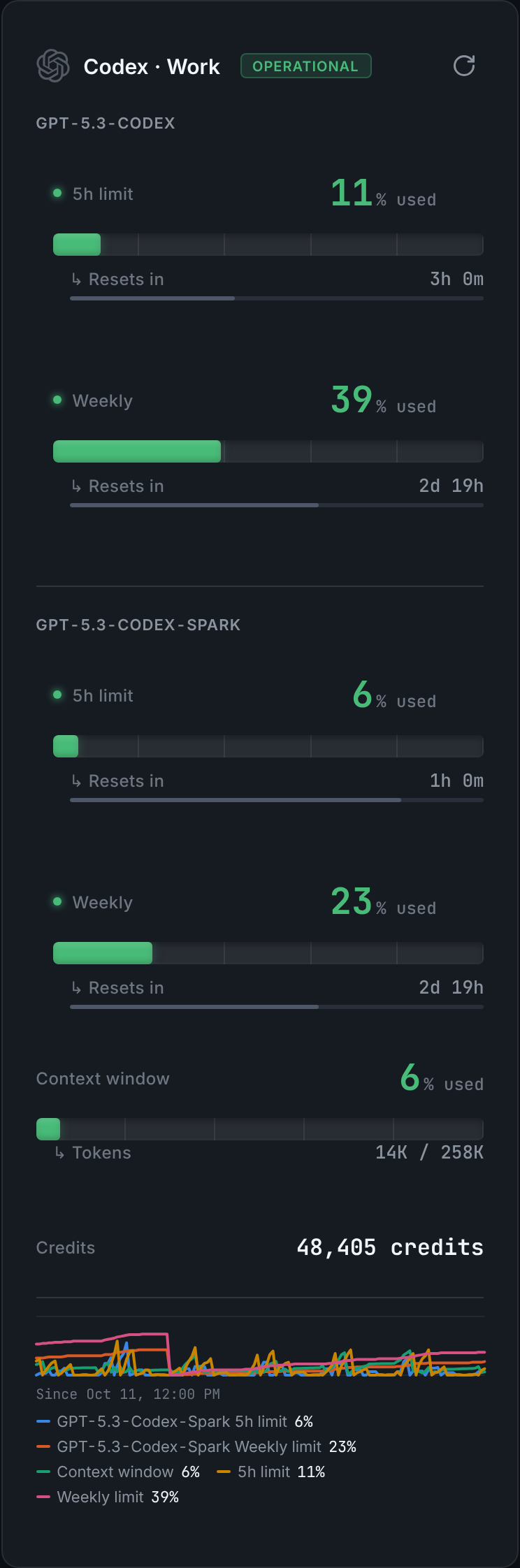
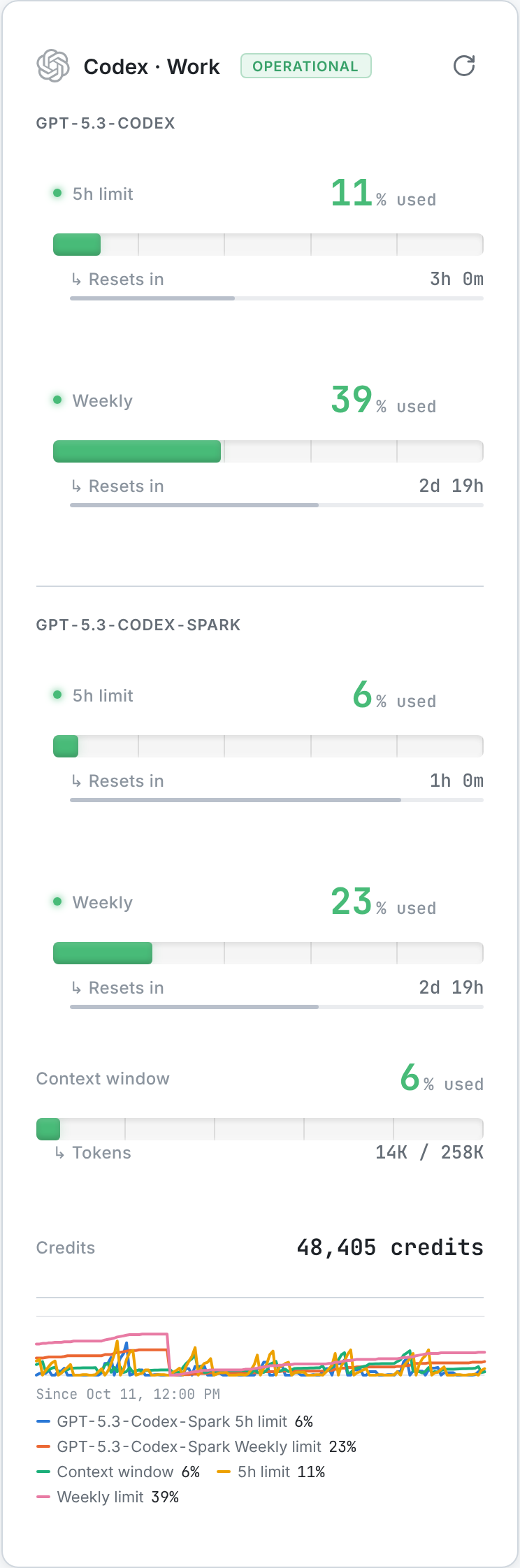
Every refresh is also written to the usage history (kept for 14 days). Each series has a key: Stable series id (metric_key), e.g. session, weeklyAll, fiveHour, model:Gemini · Weekly Limit, GPT-5.3-Codex-Spark:fiveHour; Codex also records contextUsedPercent and credits. Its unit is "percent" for percentage rows; "credits" for the Codex credit balance. In the points, t is the capture time, percent is always percent used, and value holds non-percentage metrics such as credits. With ?view=chart each point is reduced to { t, percent }. To read the balance over time:
curl -s 'http://127.0.0.1:3456/history/work?metric=credits' | jq '.series[0] | {key, unit, points: .points[-3:]}'Leave out view=chart here: view=chart returns only plottable series (percent units with at least two points), each point reduced to { "t", "percent" }.
Reading a balance alongside the windows
On its own, a credit balance tells you how much is left, not whether you are using it. Put it next to the windows:
curl -s http://127.0.0.1:3456/status/work | jq '{id, windows: [.windows[] | {label, model, used_percent, resets_at}], credits}'For the synthetic sample account that returns:
{
  "id": "work",
  "windows": [
    {
      "label": "5h limit",
      "model": null,
      "used_percent": 11,
      "resets_at": "2026-10-17T15:00:00.000Z"
    },
    {
      "label": "Weekly limit",
      "model": null,
      "used_percent": 39,
      "resets_at": "2026-10-20T07:00:00.000Z"
    },
    {
      "label": "GPT-5.3-Codex-Spark 5h limit",
      "model": "GPT-5.3-Codex-Spark",
      "used_percent": 6,
      "resets_at": "2026-10-17T13:00:00.000Z"
    },
    {
      "label": "GPT-5.3-Codex-Spark Weekly limit",
      "model": "GPT-5.3-Codex-Spark",
      "used_percent": 23,
      "resets_at": "2026-10-20T07:00:00.000Z"
    }
  ],
  "credits": {
    "remaining": 48405,
    "unit": "credits"
  }
}Every window has room, so by OpenAI’s description this account has not reached the point where credits come in. Over time, the two series together tell you more than either alone:
- Windows below the top, balance flat. You are on included usage.
- A window at the top, balance falling. You are past an included limit and spending credits, as the pricing page describes. The window’s
resets_attells you when included usage refills. - Balance falling while every window has room. This is not a case the pricing page explains; check the usage dashboard before assuming anything.
Watching pace on the windows helps you see the second case coming. How to avoid running out of limits mid-task covers that, and how usage windows work compares Codex’s windows with Claude’s and Antigravity’s.
If you legitimately have more than one Codex account, each has its own limits and its own balance; set them up as described under accounts and providers, with a separate CODEX_HOME per account. The OpenAI Codex usage limit tracker page explains how Agent Tank reads Codex, and getting started installs it.
Sources
Every plan name, number and limit behaviour above links to one of these official pages.
- Codex credits after included limits: learn.chatgpt.com/docs/pricing (checked )
- Codex credits after a limit (Plus and Pro): learn.chatgpt.com/docs/pricing (checked )
- Codex workspace credits after a limit: learn.chatgpt.com/docs/pricing (checked )
- Codex five-hour period (Plus and Standard Business): learn.chatgpt.com/docs/pricing (checked )
- Codex five-hour limit on Pro: learn.chatgpt.com/docs/pricing (checked )
- Codex weekly limits: learn.chatgpt.com/docs/pricing (checked )
- Codex message estimates are not fixed limits: learn.chatgpt.com/docs/pricing (checked )
- What Codex credits are: learn.chatgpt.com/docs/pricing (checked )
- How Codex credit rates are quoted: learn.chatgpt.com/docs/pricing (checked )
- Codex image generation and credits: learn.chatgpt.com/docs/pricing (checked )
- Codex behaviour when a limit is hit mid-turn: learn.chatgpt.com/docs/pricing (checked )
- Where Codex shows current limits: learn.chatgpt.com/docs/pricing (checked )
- Codex API key fallback after a limit: learn.chatgpt.com/docs/pricing (checked )
- Codex API prices vs subscription usage: learn.chatgpt.com/docs/pricing (checked )
- Credits line on the ChatGPT Plus and Business plan cards: learn.chatgpt.com/docs/pricing (checked )
- Codex on Enterprise and Edu flexible pricing: learn.chatgpt.com/docs/pricing (checked )
- OpenAI help article: flexible pricing: help.openai.com/en/articles/11487671-flexible-pricing-for-the-enterprise-edu-and-business-plans (checked )
- Codex credit prices: learn.chatgpt.com/docs/pricing (checked )
- GPT-6 Astra input rate (credits per million tokens, Standard speed): learn.chatgpt.com/docs/pricing (checked )
- GPT-6 Luna input rate (credits per million tokens, Standard speed): learn.chatgpt.com/docs/pricing (checked )
- Codex speed modes: included limits vs purchased credits: learn.chatgpt.com/docs/pricing (checked )
- Codex credit rates do not measure included usage: learn.chatgpt.com/docs/pricing (checked )