Limits and plans
Codex usage limits and credits explained
Codex on a ChatGPT plan has more moving parts than a single quota: a five-hour limit, a weekly limit, limits for individual models, a credit balance and a context window. This guide explains what each one is, using OpenAI’s own documentation, then shows how to check them in the Codex CLI and how Agent Tank keeps them in view.
Plans and limits change often. Numbers here were checked on the dates listed under Sources; always confirm on the provider’s own pages.
Plans and usage windows
Codex is included in ChatGPT Free, Go, Plus, Pro, Business, Edu and Enterprise plans4. Prices start at $05 for Free, $86 a month for Go and $207 for Plus. Pro has three options: Plans at $100, $200, or $500 USD per month8. Business is $259 per user per month, and for Enterprise and Edu the pricing page says “Contact sales10”.
What you get is described as usage, not as a fixed count. Usage estimates are given as local messages per five-hour period for Plus and Standard Business1, and Pro plans currently have no five-hour limit11. Weekly limits may also apply2. OpenAI adds a caveat: These estimates are not fixed message limits; usage varies by model, task size, tools and caching12.
So the same plan stretches further on some days than others. Model choice, context, reasoning, tool use, retrieval, and caching all affect usage, so prompt length alone isn’t a reliable estimate13. Speed settings count too: Fast mode uses included subscription limits 2.5x as fast as Standard mode for the same model, and Ultrafast mode 8x14.
Five-hour, weekly and per-model limits
Agent Tank reads each limit Codex reports and turns it into a window with its own percentage and reset time:
- 5h limit (
five_hour). The short window, covering all models. Not present on accounts that only expose a weekly window. - Weekly limit (
weekly). The long window, also covering all models. When it is full, a fresh five-hour window does not help. - Per-model limits, such as GPT-5.3-Codex-Spark 5h limit. Per-model limits are separate windows, with
modelset to the model’s name, while the account-wide windows havemodel: null.
Per-model limits exist because models differ so much in cost. OpenAI’s own estimates show the spread: On Plus, OpenAI estimates 5–45 local messages per five hours with GPT-6 Astra and 350–3,000 with GPT-6 Luna15. Here are the windows in Agent Tank’s synthetic sample, including both windows of the per-model limit:
[
  {
    "type": "five_hour",
    "label": "5h limit",
    "model": null,
    "used_percent": 11,
    "resets_at": "2026-10-17T15:00:00.000Z"
  },
  {
    "type": "weekly",
    "label": "Weekly limit",
    "model": null,
    "used_percent": 39,
    "resets_at": "2026-10-20T07:00:00.000Z"
  },
  {
    "type": "five_hour",
    "label": "GPT-5.3-Codex-Spark 5h limit",
    "model": "GPT-5.3-Codex-Spark",
    "used_percent": 6,
    "resets_at": "2026-10-17T13:00:00.000Z"
  },
  {
    "type": "weekly",
    "label": "GPT-5.3-Codex-Spark Weekly limit",
    "model": "GPT-5.3-Codex-Spark",
    "used_percent": 23,
    "resets_at": "2026-10-20T07:00:00.000Z"
  }
]The sample still lists GPT-5.3-Codex-Spark because that is what this Agent Tank release reports; OpenAI’s models page notes that GPT-5.3-Codex-Spark retired on September 14, 202616. Whatever the model, filter on model rather than the label. How five-hour and weekly usage windows work compares these windows with Claude’s and Antigravity’s.
Credits
Credits are separate from the windows. Credits are the unit used to pay for eligible usage on credit-based plans, charged per million tokens at model-specific rates3. After you reach your included limits, available credits let you continue working17. After you reach your included limits, image generation also draws from credits18.
Who can buy them depends on the plan: ChatGPT Plus and Pro users who reach their usage limit can purchase additional credits to continue working19, while Business, Edu, and Enterprise plans with flexible pricing can purchase additional workspace credits to continue working20. Credit purchase prices and applicable discounts depend on your plan or agreement21, so check your own plan before buying.
Because a credit balance is a number of credits rather than a share of a time window, Agent Tank does not put it in windows. Instead, credits holds: The Codex credit balance, { "remaining": 48405, "unit": "credits" }, or null when Codex doesn't report one. History records it as the credits series.
remaining: Codex credit balance. It is a balance, not a time window, so it isn't in windows.unit: Always "credits". Claude's extra usage is a dollar budget, not credits, and stays under raw.usage.extraUsage.
Each refresh is written to the usage history, so plotting the credits series shows when you started drawing on credits and how fast the balance falls.
For when OpenAI says credits are used and how to read a balance next to the windows, see Codex credits vs plan limits.
Context window
The context window is not a usage limit, but it decides how heavy each message is. /status displays session configuration and token usage, including remaining context capacity22. In the CLI it appears as a line such as Context window: N% left (X used / Y).
Context window and credits are parsed from /status ("Context window: N% left (X used / Y)", "Credits: N credits") or read from the JSON-RPC app-server response when it reports them. In Agent Tank, context_window is: Reported by Codex itself (/status or its app-server) with source "cli", including used_tokens and percentages. Codex reports it only while it has an active session, so it is often null from a fresh codex process.
A null context window is therefore normal right after Agent Tank starts Codex. It fills in once Codex has a session to report on. When it does, used_percent close to the top is a sign to compact or start a new chat before the next long task; how to avoid running out of limits mid-task lists the commands.
The built-in way vs Agent Tank
In the Codex CLI
If you want to see your remaining limits during an active Codex CLI session, you can use /status23. The pricing page lists two places to look: the usage dashboard (chatgpt.com/codex/settings/usage), or /status in an active Codex CLI session24. Codex has a /usage command too, but it answers a different question: /usage shows daily, weekly or cumulative ChatGPT token activity, or redeems an available earned reset25. For how much of each limit is left, /status is the one to use.
In Agent Tank
Agent Tank reads the same numbers without you opening a session. Agent Tank prefers JSON-RPC account/rateLimits/read from the local Codex CLI. If that is unavailable, it falls back to running /status. The dashboard card shows each window with a reset countdown, plus credits:
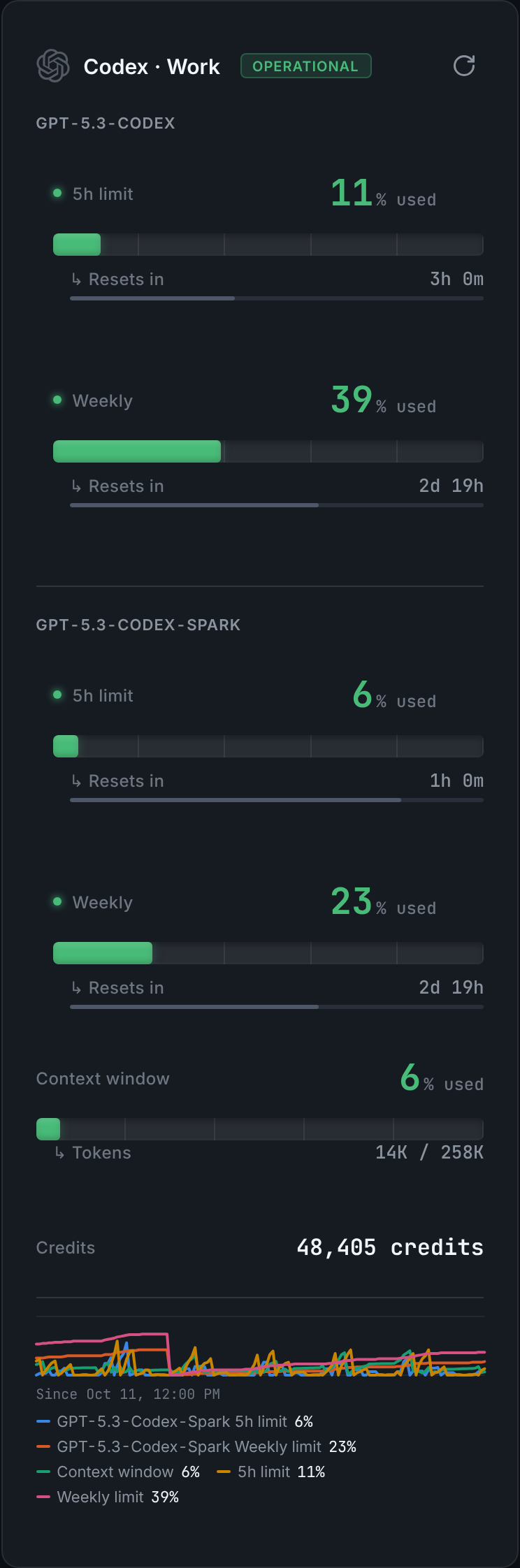
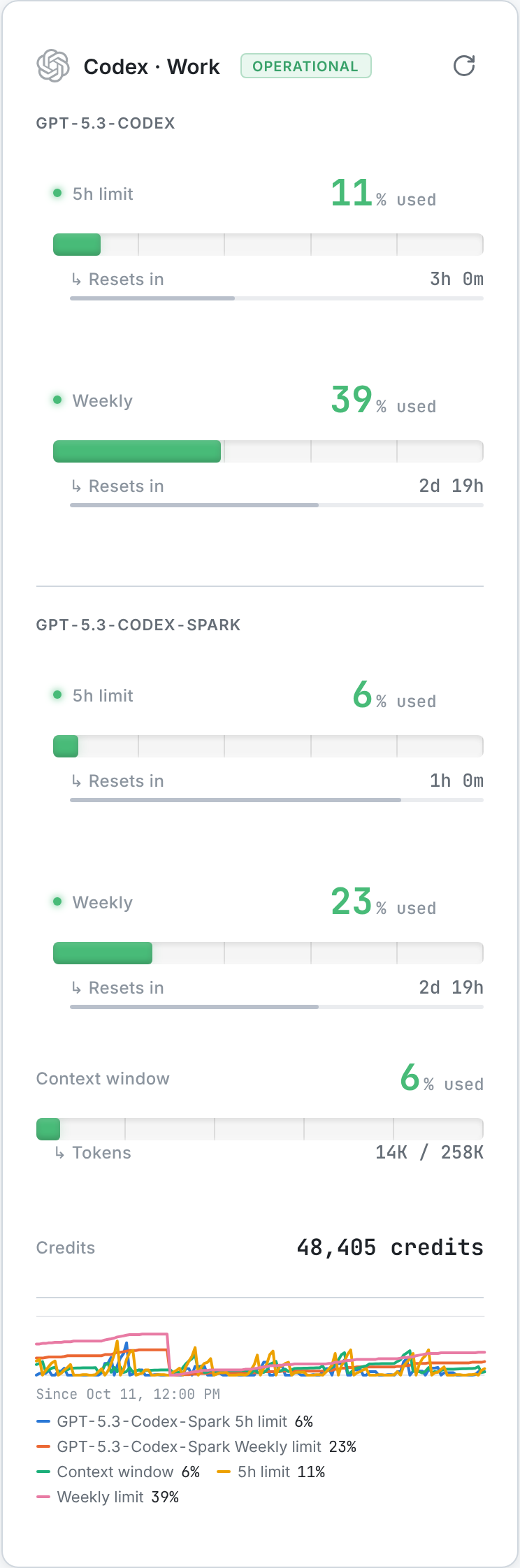
For scripts, ask the local API for the plan, credits and context window:
curl -s http://127.0.0.1:3456/status/codex | jq '{plan, credits, context_window}'In the synthetic sample (an account with the id work) that returns:
{
  "plan": "pro",
  "credits": {
    "remaining": 48405,
    "unit": "credits"
  },
  "context_window": {
    "total_tokens": 258000,
    "used_tokens": 14240,
    "used_percent": 5.52,
    "remaining_percent": 94.48,
    "model": "gpt-5.3-codex",
    "source": "cli"
  }
}About plan: The Codex plan type, lowercased ("plus").
Multiple Codex accounts
If you legitimately have more than one ChatGPT account with Codex, for example a work and a personal one, each has its own limits and credits. Codex keeps its login in its home directory, and Agent Tank passes a separate one to each account as CODEX_HOME:
agent-tank \
  --agent codex:work=/srv/accounts/codex-work \
--agent codex:personal=/srv/accounts/codex-personalSign in to each directory once with Codex first. Each account then has its own card, history and endpoint, such as /status/work. The config-file version is under accounts and providers. Use each account only as OpenAI’s terms allow.
For how Agent Tank reads Codex in more depth, see the OpenAI Codex usage limit tracker page. Claude vs Codex vs Antigravity puts Codex next to the other two, and getting started installs Agent Tank.
Sources
Every plan name, number and limit behaviour above links to one of these official pages.
- Codex five-hour period (Plus and Standard Business): learn.chatgpt.com/docs/pricing (checked )
- Codex weekly limits: learn.chatgpt.com/docs/pricing (checked )
- What Codex credits are: learn.chatgpt.com/docs/pricing (checked )
- ChatGPT plans that include Codex: learn.chatgpt.com/docs/pricing (checked )
- ChatGPT Free price per month (USD): learn.chatgpt.com/docs/pricing (checked )
- ChatGPT Go price per month (USD): learn.chatgpt.com/docs/pricing (checked )
- ChatGPT Plus price per month (USD): learn.chatgpt.com/docs/pricing (checked )
- ChatGPT Pro price options: learn.chatgpt.com/docs/pricing (checked )
- ChatGPT Business price per user per month, billed monthly (USD): learn.chatgpt.com/docs/pricing (checked )
- ChatGPT Enterprise and Edu pricing: learn.chatgpt.com/docs/pricing (checked )
- Codex five-hour limit on Pro: learn.chatgpt.com/docs/pricing (checked )
- Codex message estimates are not fixed limits: learn.chatgpt.com/docs/pricing (checked )
- Factors that affect Codex usage: learn.chatgpt.com/docs/pricing (checked )
- Codex Fast and Ultrafast modes and included limits: learn.chatgpt.com/docs/pricing (checked )
- Codex message estimates per model (Plus): learn.chatgpt.com/docs/pricing (checked )
- GPT-5.3-Codex-Spark retirement: learn.chatgpt.com/docs/models (checked )
- Codex credits after included limits: learn.chatgpt.com/docs/pricing (checked )
- Codex image generation and credits: learn.chatgpt.com/docs/pricing (checked )
- Codex credits after a limit (Plus and Pro): learn.chatgpt.com/docs/pricing (checked )
- Codex workspace credits after a limit: learn.chatgpt.com/docs/pricing (checked )
- Codex credit prices: learn.chatgpt.com/docs/pricing (checked )
- Codex CLI /status: learn.chatgpt.com/docs/cli/slash-commands (checked )
- Codex CLI /status shows remaining limits: learn.chatgpt.com/docs/pricing (checked )
- Where Codex shows current limits: learn.chatgpt.com/docs/pricing (checked )
- Codex CLI /usage: learn.chatgpt.com/docs/cli/slash-commands (checked )